
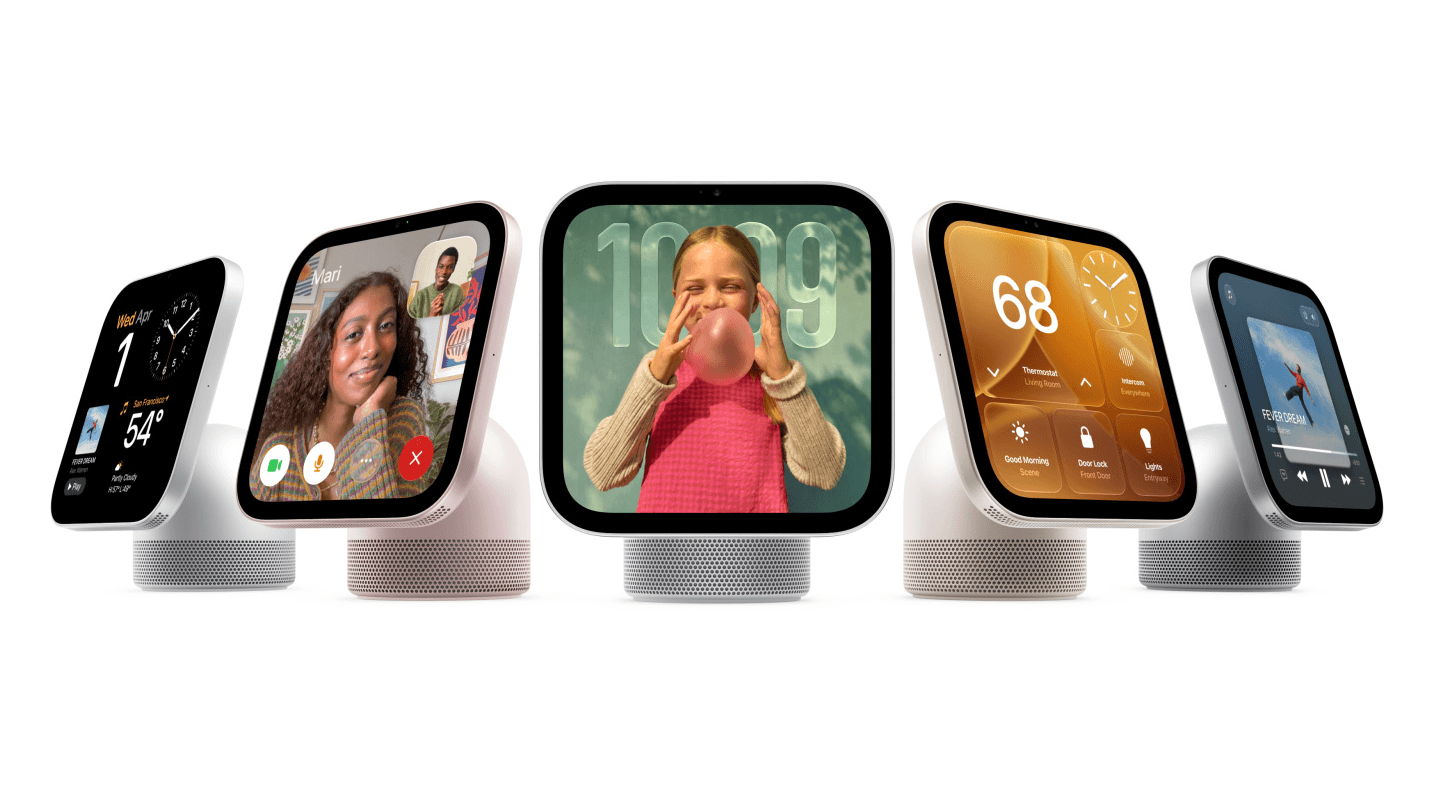
Apple’s smart home now has a face.
The new HomeView brings a dedicated screen to Apple’s home ecosystem, giving the household a shared place to interact with its devices and services.
It features a 7-inch Liquid Retina display, an A18 chip and a 12MP Centre Stage camera for FaceTime. There’s a tabletop model with an adjustable display and speaker base, plus a wall-mounted version. Selected features reveal more information as you approach.
HomeView can recognise up to six people and personalise their experience. Access to personal content requires recognition and a paired, recently unlocked iPhone or iPad on the same Wi-Fi network.
Siri AI supports natural conversations and personal context, with English available initially. Music, photos, calendars, reminders and calls give the screen a purpose beyond controlling lights. HomeView is available to pre-order ($449 AUD), with Australian availability beginning 13 November. Explore Apple HomeView.
Picture the morning rush: checking the day’s appointments, putting on music and adjusting the kitchen lights from one shared location. Nobody needs to surrender their iPhone or explain which app everyone should open.
Other devices Apple announced today include a new Apple TV 4K and HomePod mini 2, both available to pre-order now. Cameras, thermostats and a door lock are also on the way as part of the Apple Home Collection, developed with selected brands.
Apple Home itself deserves attention. Alongside scenes and sensor-based automations, Apple describes Adaptive Temperature, which uses household patterns to adjust the climate, and intelligence features that summarise camera activity. This is already more than a collection of remote-control buttons. Apple Home capabilities.
For someone who already owns smart-home equipment, however, the question goes beyond what a new device can do.
You may have lights in Apple Home, blinds in another app and an aircon controller following its own schedule. Each works individually. Getting them to behave like one home remains your job.
Will HomeView finally solve that frustration?
With the right setup behind it, it can become part of the answer.
From “turn on the lights” to life routines
The distinction starts with what you want your home to do.
“Turn on the kitchen lights.”
“Tell us a joke.”
These are immediate requests. They are useful, and Apple’s new devices make them easier to deliver around the house. Siri AI’s capabilities extend further, too.
But consider a different request:
“On hot afternoons, close the west-facing blinds before the living room gets uncomfortable. Only cool the room when we’re home, and leave everything alone if we’ve changed it manually.”
You are describing a life routine: how your home should respond to relevant conditions, your preferences and exceptions, without needing the same instructions every afternoon.
The work lies in the details. What counts as hot? Which room sensor should we use? How do we recognise a manual adjustment? When should normal operation resume?
A helpful agent needs to resolve those questions, asking you where necessary, then turn the agreed behaviour into working logic.
That is the role of the Thinking Spaces Home AI agent.
The Thinking Spaces Home AI agent helps turn your intentions into life routines. It can work with supported devices and automations, including the new Apple HomeView, helping you build and refine behaviour through conversation.
The conversation can therefore lead to an actual change in your home’s programming, all done, tested and deployed by your Home AI Agent.
When life changes, the conversation continues:
“We’re working from home on Fridays now. Keep the study comfortable, but don’t cool the rest of the house just for us.”
You describe the outcome. The agent helps refine the behaviour without requiring you to learn an automation editor.
Apple’s new hardware makes the home easier to see, hear and control. Thinking Spaces brings together the foundation and conversation that help it behave the way you want.
That is what makes a thinking space: a room or home configured to respond to what’s happening and how you want to live.
Reach out to arrange a visit to our demonstration home in Redland Bay to see life routines in action—and discover what a conversation could change in your home.